NFC Wi-Fi tags: let guests connect with one tap
How NFC Wi-Fi tags work, why iPhones won't join a network from one, and the tap setup that works for every guest's phone in your café.
4 min read · Tapstand team
An NFC Wi-Fi tag is a sticker or stand with a chip that stores your network name and password. On many Android phones, a tap brings up a prompt to join the network. On iPhones it doesn't: iOS won't join Wi-Fi from a tag. So for a café, the setup that works for everyone is a tag that opens a page with your Wi-Fi details, plus a printed Wi-Fi QR code, which iPhone cameras do understand.
Two kinds of NFC Wi-Fi tag
| Wi-Fi record tag | Link tag | |
|---|---|---|
| What's on the chip | Network name, password and security type | A web address |
| Android | Many phones offer to join the network | Opens the page in the browser |
| iPhone | Nothing happens for guests | Opens the page in the browser |
| Password change | Rewrite every tag | Update the page once |
| Can do more than Wi-Fi | No | Yes: menu, loyalty card, feedback |
Wi-Fi record tags
These use a standard Wi-Fi record that NFC apps such as NXP TagWriter can write. Android support depends on the phone and its version; on many recent phones a tap shows a prompt to connect. On iPhone, the record is ignored for everyone except people who build their own Shortcuts automation on their own phone, which no guest will have done.
Link tags
A link tag works like a QR code you tap instead of scan. Every NFC phone opens the link, iPhone included. The page can't join the network for the guest (browsers aren't allowed to change a phone's Wi-Fi), but it can show the network name and password with copy buttons, so connecting takes two taps instead of a spelled-out password.
Which phones can tap at all
- iPhone XS and newer read link tags in the background when unlocked. Hold the top edge near the tag.
- iPhone 7 to X need the NFC tag reader from Control Centre.
- Android phones with NFC read tags when NFC is switched on, which isn't always the default. The chip is usually near the camera on the back.
- Many budget phones have no NFC at all. They need a printed QR code.
That's why a Wi-Fi tag should never be the only option. Pair it with a printed Wi-Fi QR code: the built-in camera on iPhones and recent Android phones offers to join the network straight from it. Our guide to café Wi-Fi QR codes shows how they work.
The setup that works for every guest
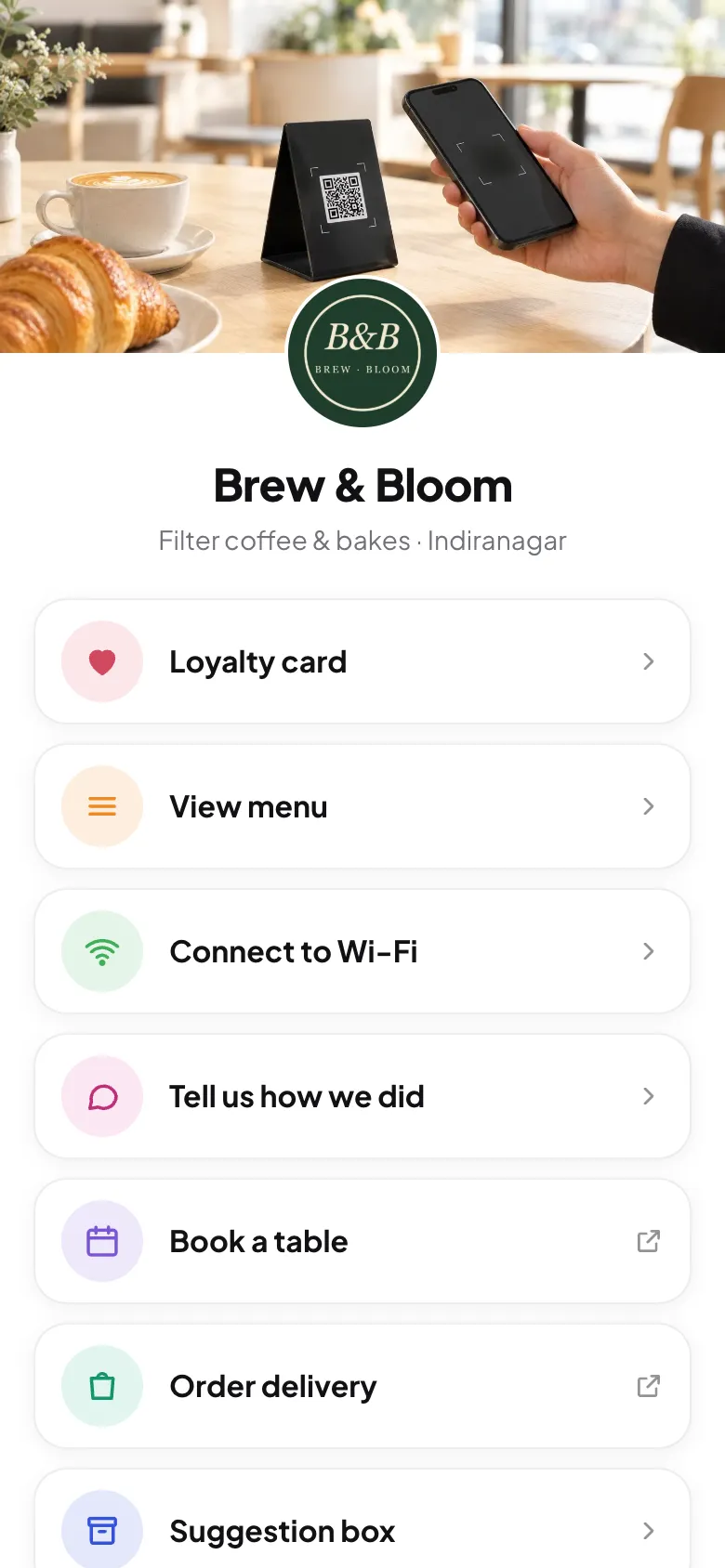
- An NFC tag that opens your café's page, with a Connect to Wi-Fi button that shows the network and password with copy buttons.
- A printed Wi-Fi QR code on the same stand, for one-step joining from the camera.
- The network name written in plain text for anyone whose phone can do neither.
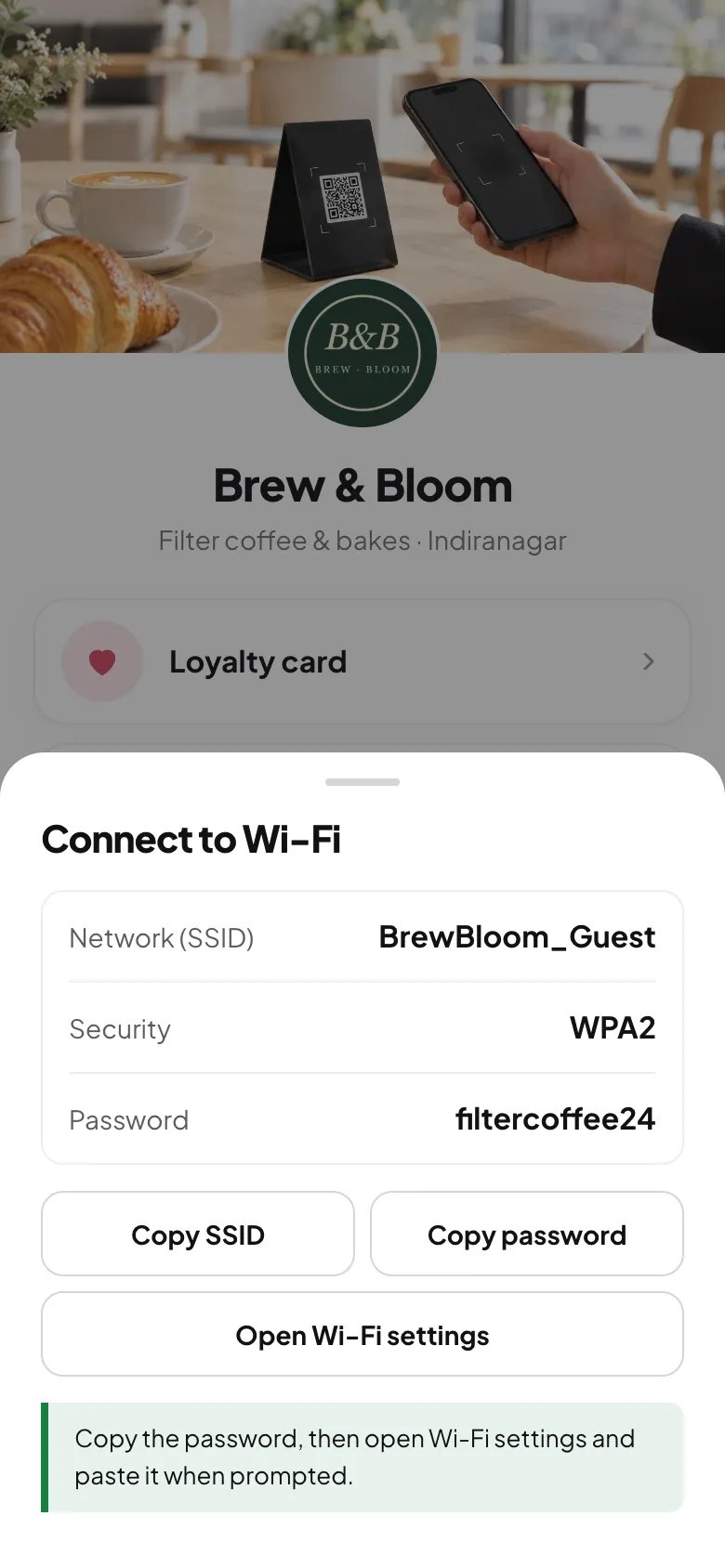
Tapstand's stands and table tags carry an NFC chip and a printed code that open your café's page. Enter your Wi-Fi details once in the dashboard and you get the Connect to Wi-Fi button and a printable Wi-Fi QR code.

The bonus: guests who tap for Wi-Fi see the rest
Almost everyone who sits down for more than ten minutes wants the Wi-Fi. A plain Wi-Fi tag gives them the password and nothing else. A tag that opens your page also puts your menu, your digital stamp card and a feedback button in front of them, at no extra effort.
Keep it secure
- Share a guest network, never the one your billing machine and CCTV are on. Most routers can create one in a few minutes.
- Lock any tag you write yourself. An unlocked tag can be rewritten by anyone with a free app, to point at a scam page.
- Change the guest password every few months. With a link tag, you update it once in the dashboard. Wi-Fi record tags and printed Wi-Fi QR codes hold the password itself and need rewriting or reprinting.
- Check stands weekly for stickers placed over your code or tag.
Where to put Wi-Fi tags
Put one on every table where people sit for a while, and one at the counter for the guests who ask while ordering. Avoid sticking tags directly on metal tables: metal blocks NFC. A stand that lifts the tag off the surface fixes it. More in where to place table stands.
Frequently asked questions
Can an iPhone join Wi-Fi by tapping an NFC tag?
Not for guests. iOS doesn't join networks from NFC Wi-Fi records. iPhones can open a link from a tag, and their camera can join Wi-Fi from a printed Wi-Fi QR code, so use one of those.
Do NFC Wi-Fi tags work on Android?
On many Android phones, yes, if NFC is switched on. Support varies by phone and Android version, so test with a few phones before relying on it.
Is it safe to put my Wi-Fi password on an NFC tag?
It's as safe as printing the password on the table. Use a separate guest network, lock the tag so it can't be rewritten, and change the password from time to time.
Do I need to rewrite the tag when I change my Wi-Fi password?
A tag with the password written on it, yes. A tag that opens a page with your Wi-Fi details, no: update the details once and every tag shows the new password.
Sources
Screenshots show Tapstand with a sample café and demo data.