How to set up a QR code menu for your café (2026 guide)
A practical guide to digital QR menus for cafés and restaurants: what to include, how to structure it, mistakes to avoid and how to keep it up to date.
· 3 min read · Tapstand team
QR menus stopped being a pandemic stopgap a long time ago. Guests now expect to scan a code, see what you serve, and decide without waiting for a laminated card. Done well, a digital menu is cheaper than printing, always accurate and easier to read. Done badly, it is a blurry PDF that takes ten seconds to load on mobile data.
This guide covers how to set one up properly, from structure to the small details that decide whether people actually use it.
PDF menu vs. a real digital menu
The quickest option is to upload a PDF of your printed menu and point a QR code at it. It works, but guests have to pinch and zoom, nothing is searchable, and every price change means a new PDF. A proper digital menu is built from items: each dish has a name, price, description and labels, and the page is laid out for a phone screen.
| PDF menu | Digital menu | |
|---|---|---|
| Readable on a phone | Pinch and zoom | Made for small screens |
| Change a price | Re-export and re-upload | Edit one field, live instantly |
| Mark an item sold out | Not possible | One toggle |
| Veg / allergen filters | No | Yes |
| Load time on 4G | Often slow (large file) | Fast |
What a good QR menu includes
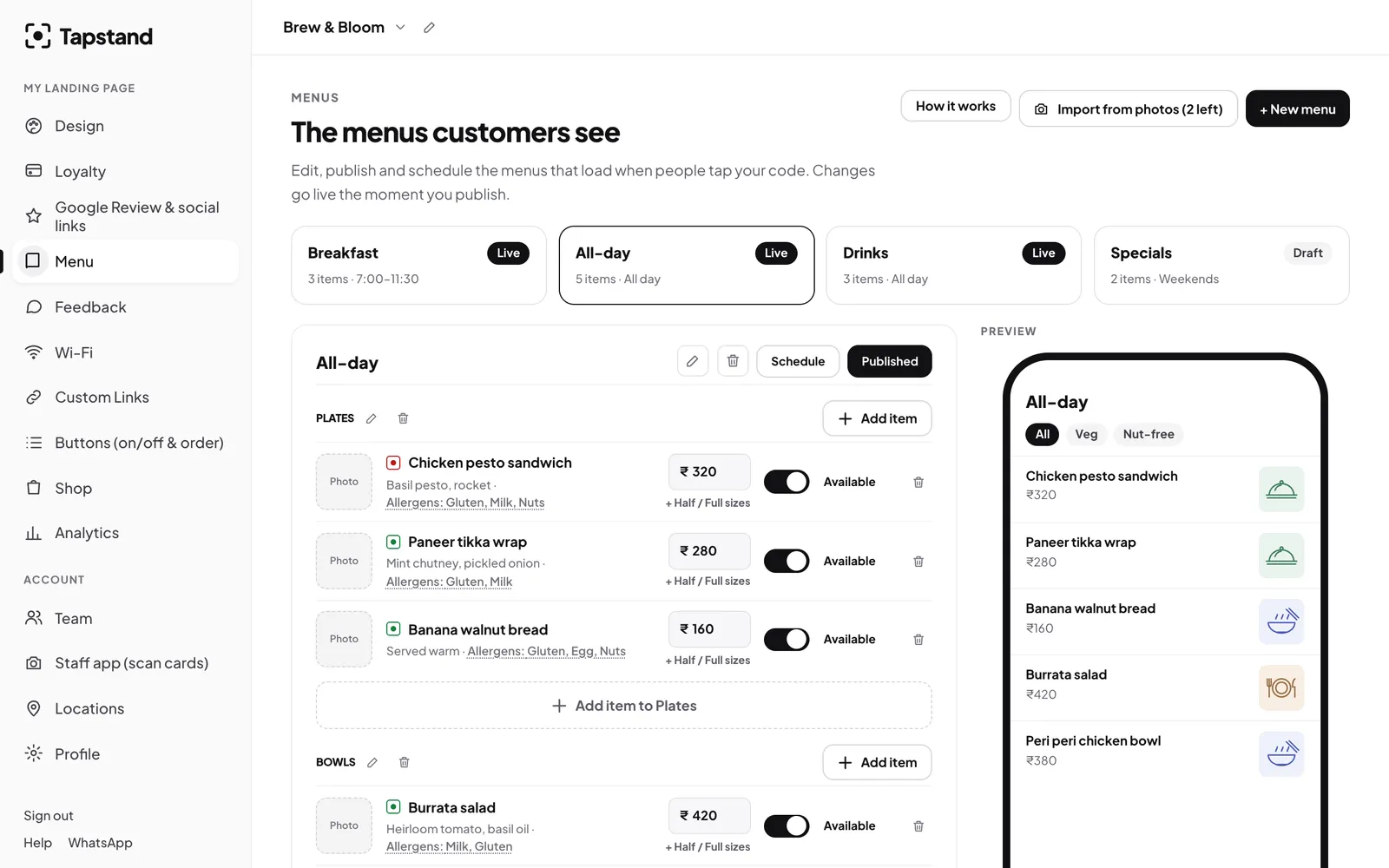
- Separate menus by time or type: breakfast, all-day, drinks, specials. Long single lists are hard to scan on a phone.
- Sections inside each menu: plates, bowls, coffee. Short sections with clear names.
- A one-line description for anything that isn't obvious. "Paneer tikka wrap: mint chutney, pickled onion" sells better than the name alone.
- Prices in ₹ with sizes where you have them (half/full, regular/large).
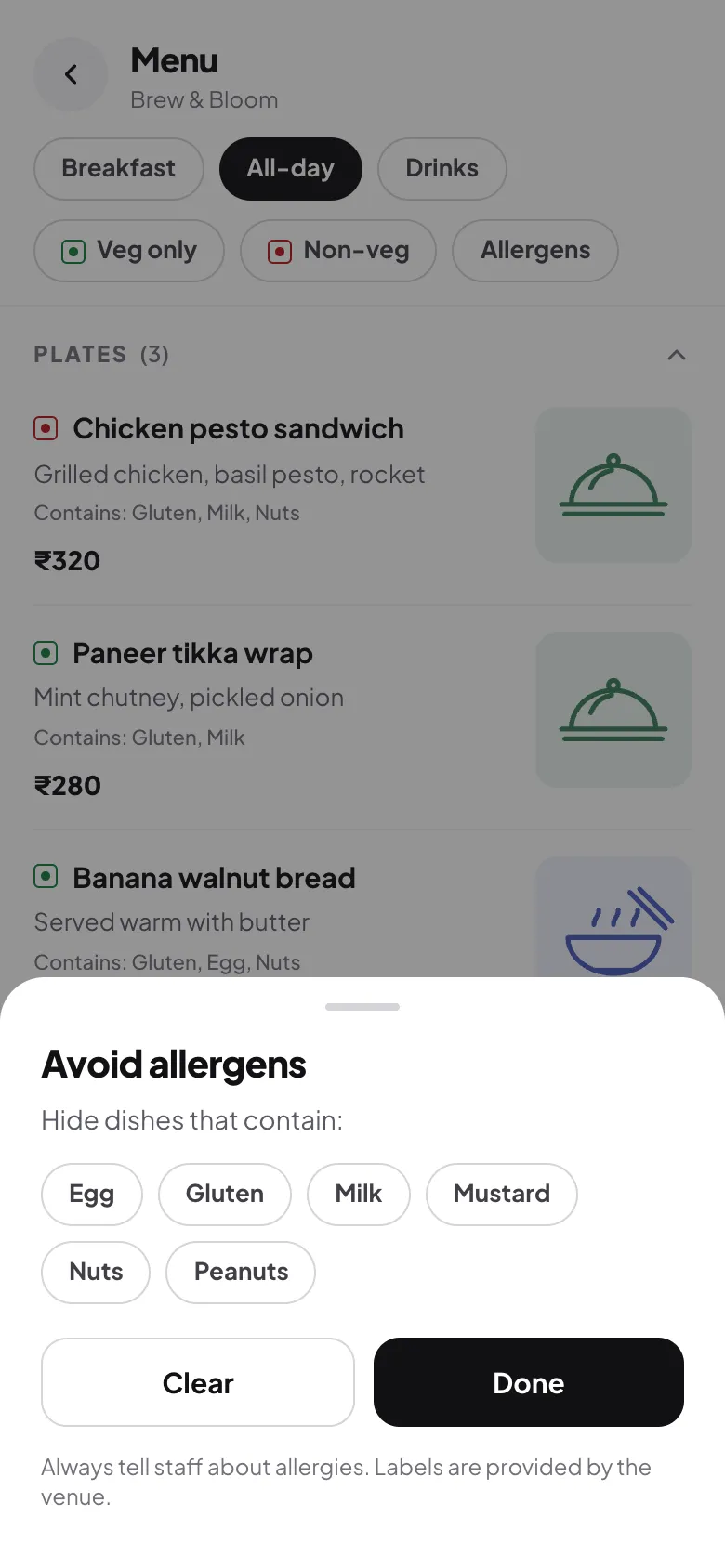
- Veg / non-veg markers and allergens. In India this is expected, and FSSAI's display rules ask for it. See our guide to veg symbols and allergens.
- Availability: the ability to switch an item off when it runs out, so guests don't order what you can't serve.

Step by step: setting it up
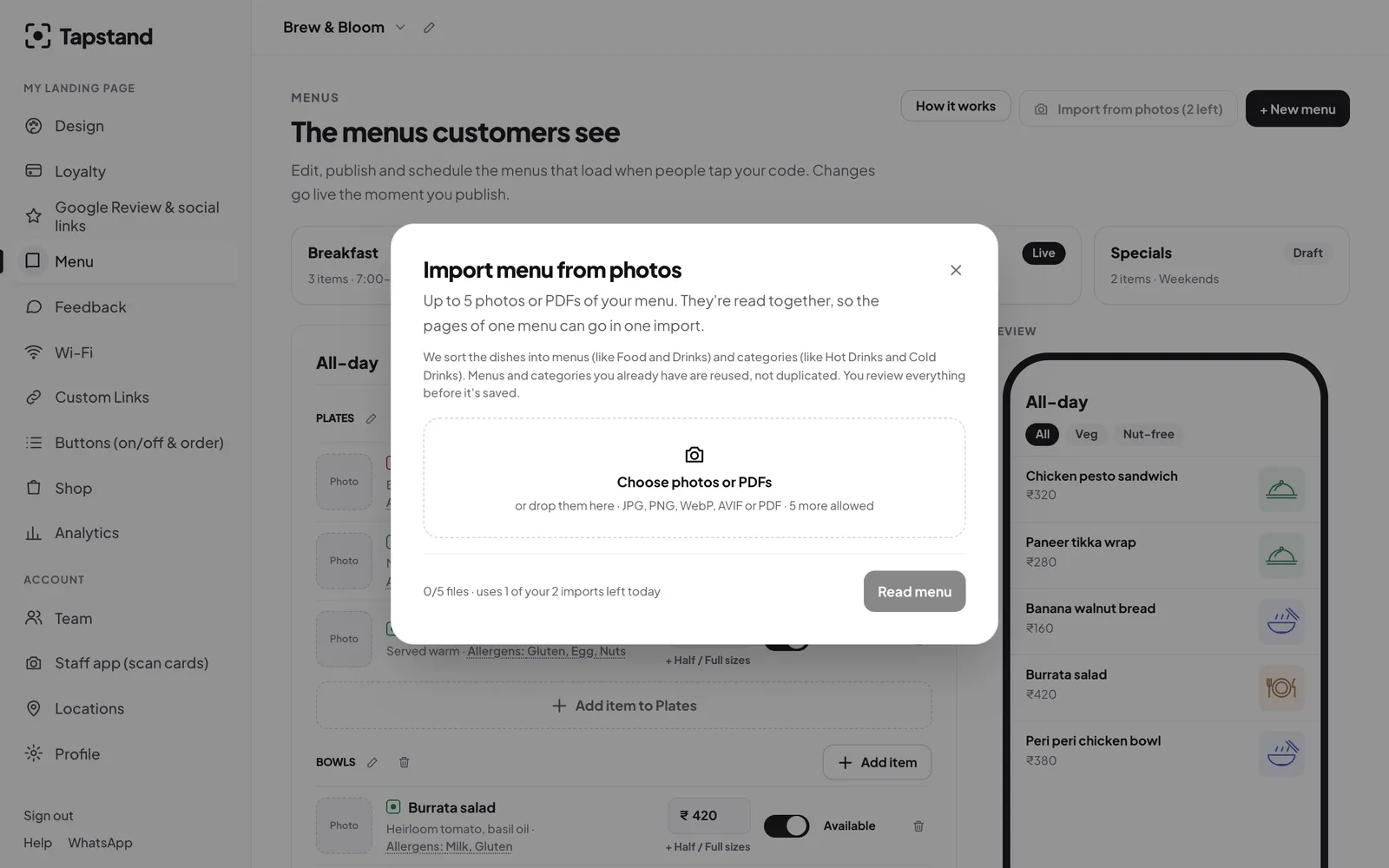
- Get your menu into the system. Type it in, or photograph your printed menu and let AI read it (see turning a paper menu into a digital one). Always check prices afterwards.
- Split it into menus and sections. Mirror how guests think: when they're eating, and what kind of thing they want.
- Add labels. Veg, non-veg or egg on every item, plus allergens.
- Set times if a menu only runs part of the day, like breakfast until 11:30.
- Preview on your own phone on mobile data, not just café Wi-Fi.
- Print the code and place it where guests sit. Our placement guide covers where it works best.

Mistakes that make guests ask for a paper menu
- Codes that are too small or printed on glossy stock that reflects light. Aim for at least 3 × 3 cm and a matte finish.
- Pointing the code at a link you might lose. Use a short permanent address that you control, so you can change the menu without reprinting.
- Forcing an app download or sign-up before guests can see the menu. Nobody will.
- Huge photos. A few good images help; forty unoptimised ones make the page crawl on 4G.
- Letting it go stale. A wrong price on a digital menu is worse than on paper, because it looks careless.
Make the menu do more than list dishes
Guests open your menu every single visit, which makes it the most-viewed page you have. Use it. In Tapstand the menu sits on the same page as your loyalty card, Wi-Fi and feedback, so someone who scanned for the menu can join your stamp card with one more tap. A plain QR menu is a one-way door; a menu that also starts a relationship is worth far more.
Frequently asked questions
Do customers need an app to scan a QR menu?
No. Every recent iPhone and Android phone reads QR codes from the built-in camera. The menu opens in the browser.
How much does a QR code menu cost?
A basic QR code that points to a PDF can be free. Dedicated digital menu platforms in India range from free tiers to a few thousand rupees a month, usually bundled with other features.
Can I change prices after printing the QR code?
Yes, as long as the code points to a menu page you control rather than a file. Edits go live straight away and the printed code never changes.
Screenshots show Tapstand with a sample café and demo data.